How to make a Santa Caught on Camera video from one photo
Last updated:
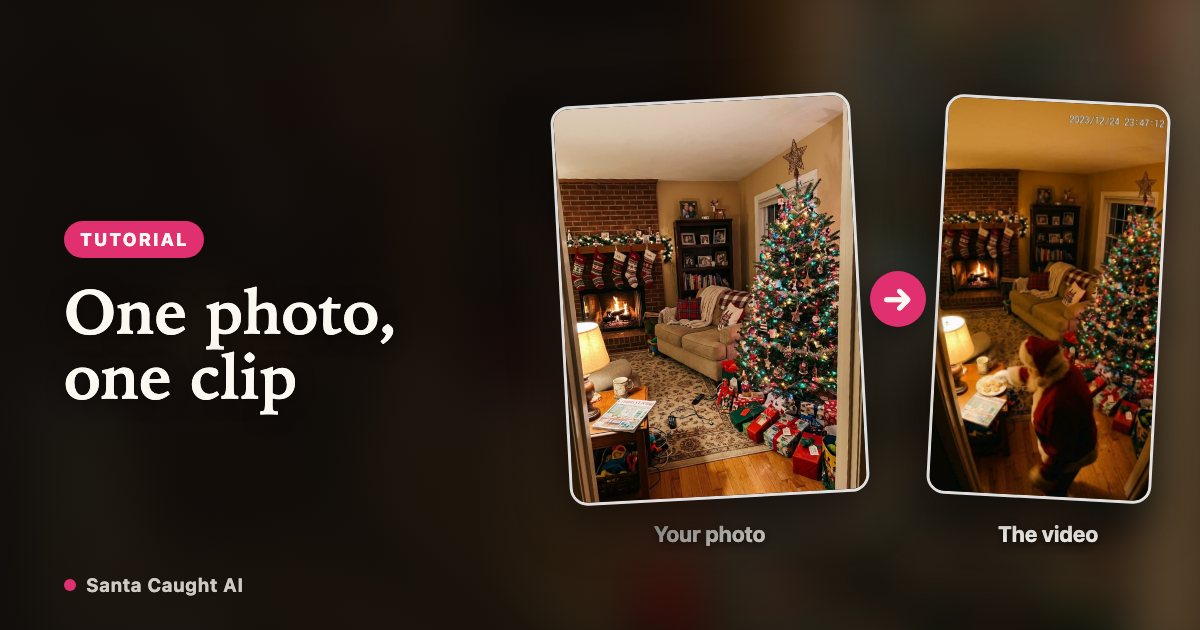
Start to finish, a Santa Caught on Camera video takes about five minutes, most of which is the render. Here is the whole process and the handful of things that change the result.
See this camera look in motion
1. Photograph the room
Stand in a corner of the room and hold the phone slightly above head height, pointing down a little — that is where a wall camera would be. Get the tree, the fireplace or sofa and a stretch of empty floor into one wide shot.
Turn the lights on, keep people and pets out of the frame, and avoid shooting straight into a window or a mirror. JPG, PNG or WebP up to 10 MB; a normal phone photo is already the right size.
2. Pick a camera look
Night vision is the black-and-white infrared look most indoor cameras switch to after dark, with Santa setting presents down by the tree. Colour cam keeps the Christmas lights and the warm colour cast of a room that is dim rather than dark, with Santa taking a cookie and shushing the lens.
Night vision hides more and reads as "recorded at 2 AM". Colour cam shows your decorations off better. If you cannot decide, render the short length in both and keep the one that looks like your house.
3. Choose a length
One credit covers one second of video. Short clips feel more like a camera that caught something by accident; longer ones give the figure time to cross the room and crouch down.
| Length | Credits | What fits |
|---|---|---|
| 6 seconds | 6 | A walk-through and a glance at the camera |
| 12 seconds | 12 | Santa stops and puts something down |
| 18 seconds | 18 | The full visit, long enough to rewatch |
4. Confirm and generate
Tick the box confirming the photo is of a room you are allowed to photograph and that nobody is in it, then start the render. It usually takes a few minutes and you can close the page — finished videos wait in My videos.
5. Download and show it
Download the MP4 — no watermark — and put it somewhere it will be seen in the right moment: the TV on Christmas morning, or the family group chat late on Christmas Eve.
Videos are kept for 30 days, so download the one you want to keep rather than relying on the account.
FAQ
How long does a Santa Caught on Camera video take to make?
Most renders finish in 2–8 minutes depending on length and queue. You can close the page while it works.
How many credits does a video cost?
Each second costs one credit, so 6 seconds is 6 credits, 12 seconds is 12 credits, 18 seconds is 18 credits. Credits are refunded automatically if a render fails.
Which room photo gives the best result?
A wide, well-lit shot from a high corner, with the tree and a stretch of floor in frame and nobody in the picture.
Can I use the same photo twice?
Yes. Many people render the same room in both camera looks and at two lengths, then keep the best one.
Christmas Eve, 11:58 PM, your living room
Create my video